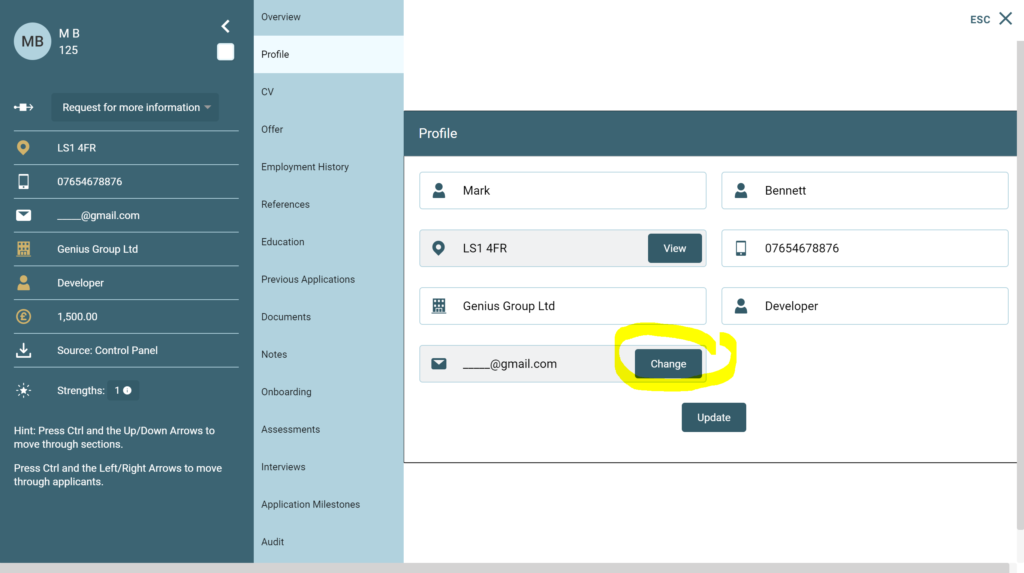
To change a candidates email address in the control panel, go into the candidate record within an application. Go to the [Profile] tab and click [Change] against the email field:
The following message will appear:
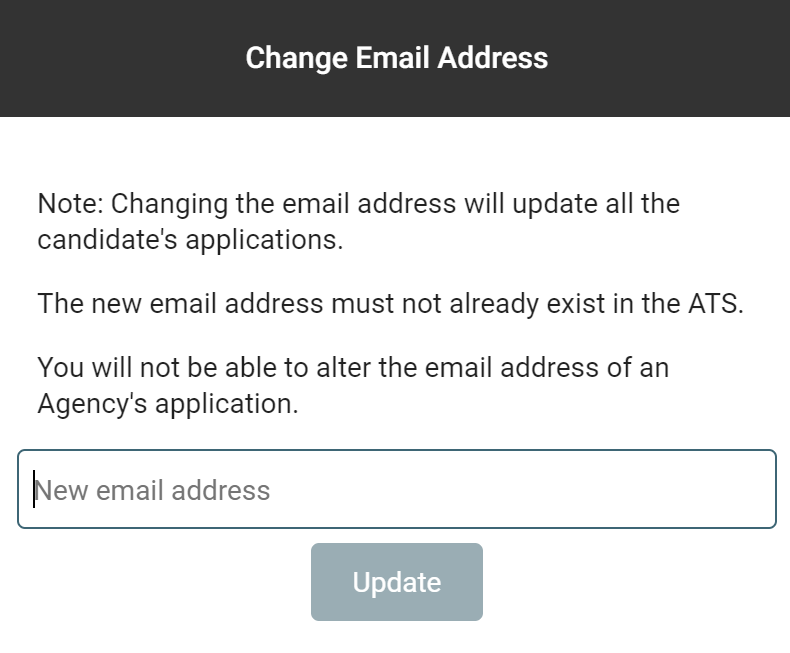
Add the new email address and click [Update] to confirm