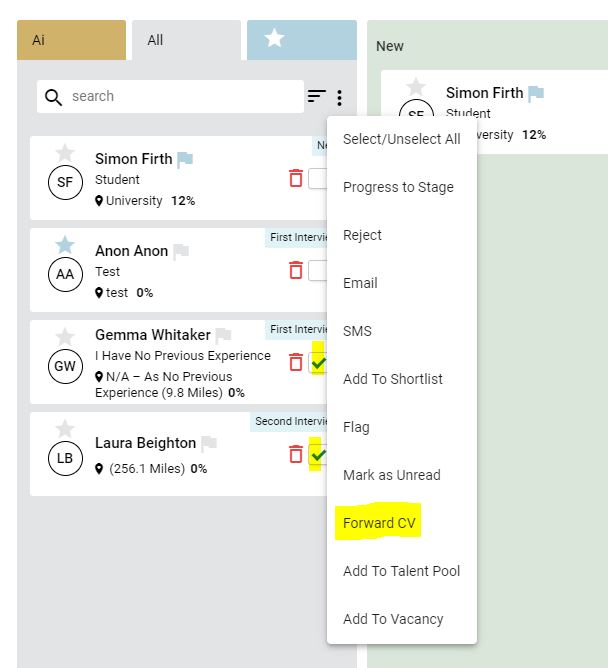
To forward a CV from the control panel, select the candidate(s) and click the action button at the top of the section column:
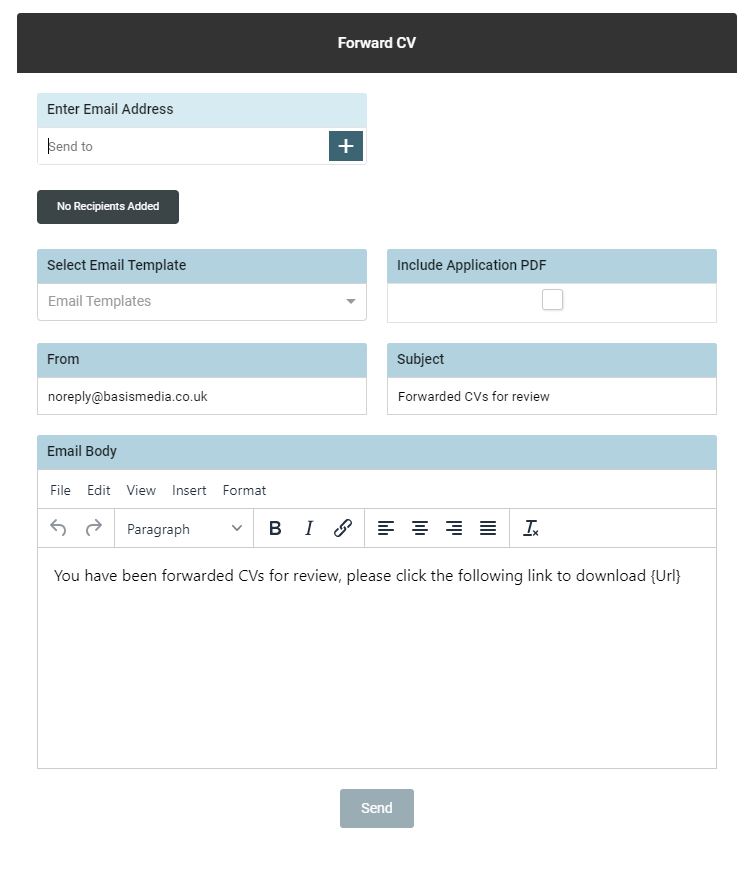
Add the email address(s) of the person you wish to send the CV(s) to and add any further information into the body text of the email.
Alternatively select a pre-determined email template from the dropdown.
Tick [Include application PDF if you wish to send a complete digital overview of the candidates application
A message will appear to confirm that the email has been sent successfully.