GeniusATS allows you to manage individual Control Panel user permissions. This means you can give access to all, or, specific areas of the control panel by adding a user into a User Group, as well as controlling which vacancies are visible at specific Locations, Sectors and Departments the user has permission to view.
Create New User
Click on the [Add] icon within the user group where a new user is to be created.
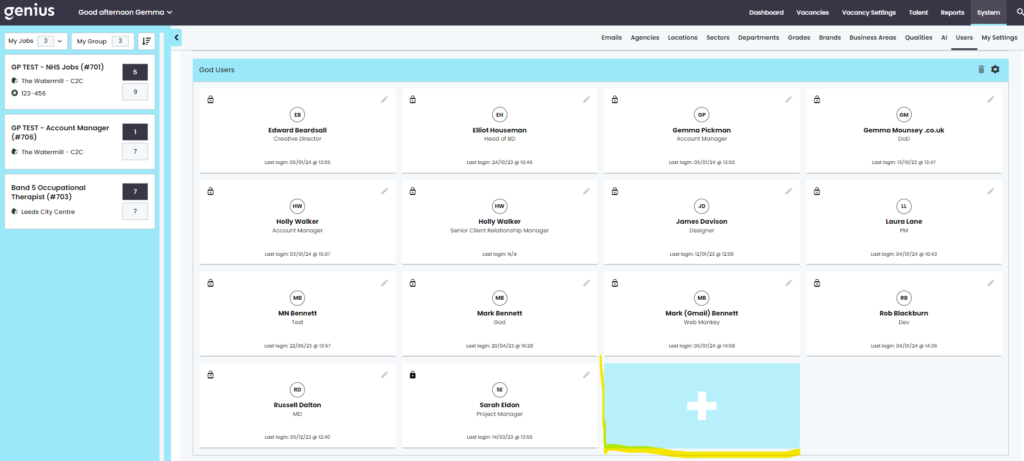
A pop up will appear:
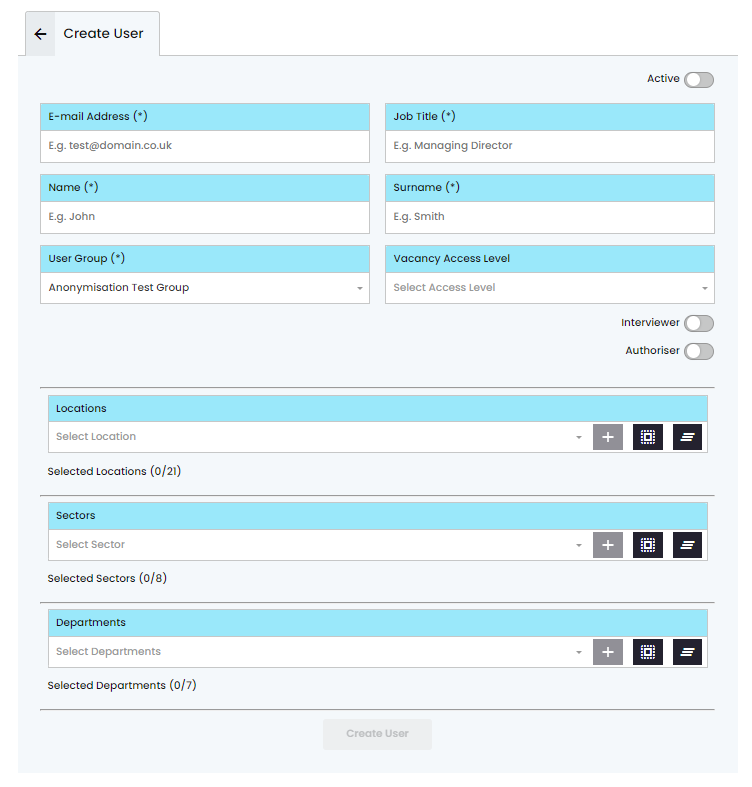
Enter all of the individuals information and use the section dropdowns to define what role and permissions the user should be set.
Interviewer / Authoriser Toggles
By turning [on] these toggles the users name will become available in the vacancy template area in the dropdowns to select per vacancy.
The Locations / Sectors / Departments filters restrict the user to only see vacancies associated with those areas.
User Group
You can change the [User Group] that a user has been added to by using the drop down in this view.
Complete the information and click [create user].