Search, Create and View all system vacancies in this area of the control panel. Use the sub sections to navigate through the various tabs.
To Create a vacancy click on Vacancies > Create – follow the step by step process in the menu
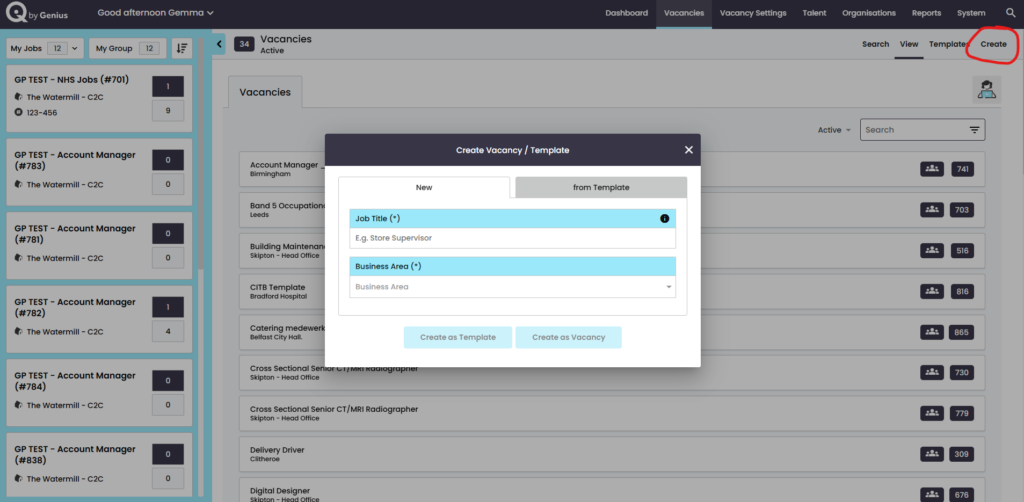
You can either create a vacancy as new or a template