Genius ATS allows you to create an unlimited number of pre-set vacancy Authorisers.
There can be 2 types of Authoriser:
- System User
- Non-System User
Create/Remove System Vacancy Authoriser
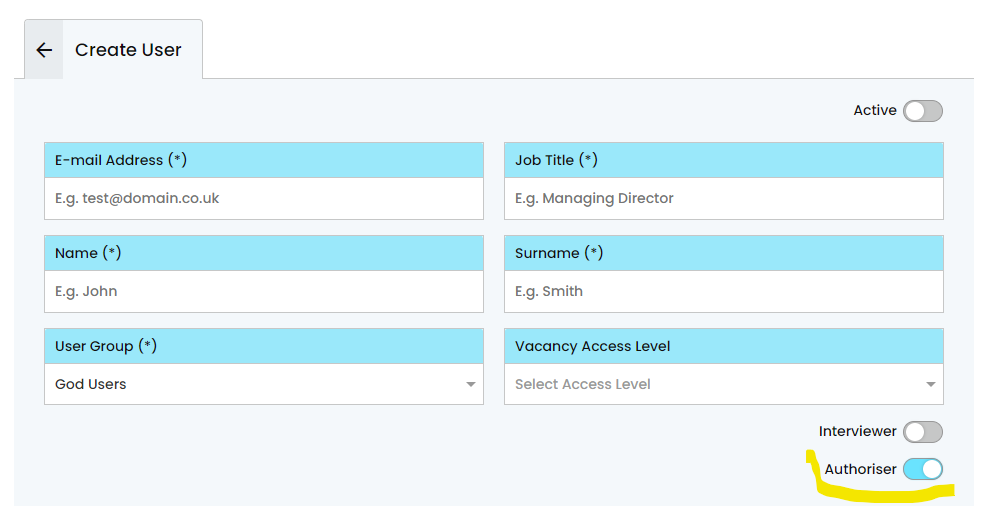
To create or remove a system user Vacancy Authoriser, add the user into a User Group as normal then toggle the Authoriser toggle on/off:
Remove a System Authoriser from the Control Panel
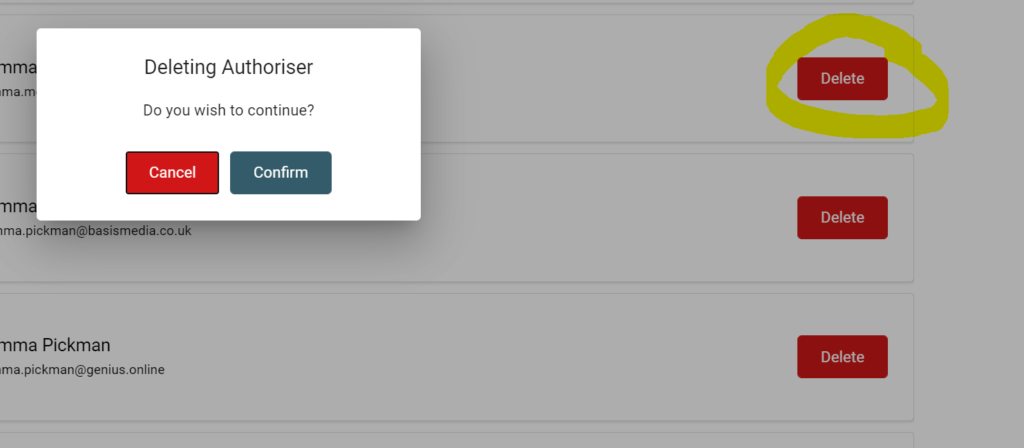
Click on [Users] > [Authorisers]
Create/Remove Non-System Vacancy Authoriser
If an authoriser is not required to have system access to the control panel, they can be added as an authoriser when creating a vacancy or vacancy template:
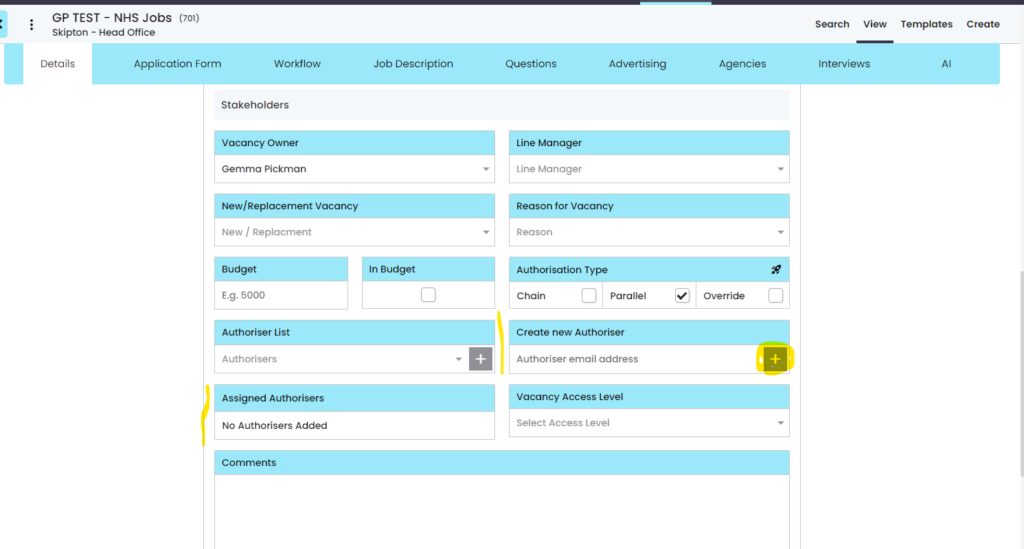
Simply add the Authorisers email into the section highlighted above and click the [+] button. The authorisers name will then appear below in the Assigned Authorisers to confirm.
Remove a non-system Authoriser from a Vacancy
To remove this person from a vacancy, click on the ‘X’ next to their name and [save]